ASUS / blinking green
ASUS blinking green light
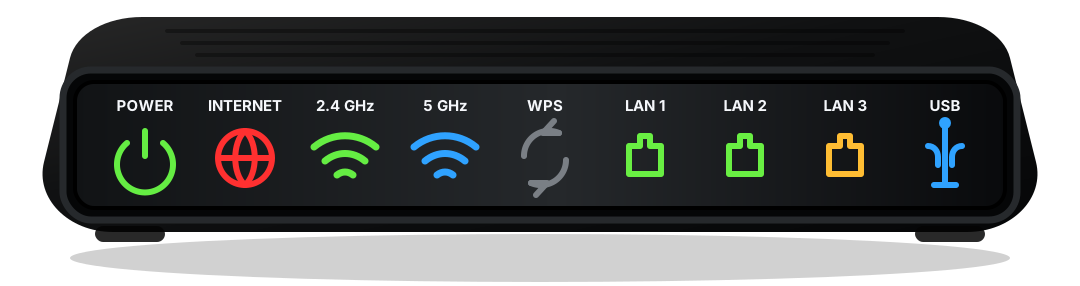
On ASUS router hardware, a blinking green light usually means startup, signal search, firmware activity, or service registration. If it lasts beyond ten minutes, treat it as a connection problem. ASUS routers make WAN status visible. If Wi-Fi works locally but WAN is red, start outside the wireless settings.
Short answer
What does a ASUS blinking green light mean?
On ASUS router hardware, a blinking green light usually means startup, signal search, firmware activity, or service registration. If it lasts beyond ten minutes, treat it as a connection problem. ASUS routers make WAN status visible. If Wi-Fi works locally but WAN is red, start outside the wireless settings.
ASUS routers make WAN status visible. If Wi-Fi works locally but WAN is red, start outside the wireless settings.
Safe order
Check in this order
- Wait through a full startup cycle before unplugging anything.
- Tighten coax, fiber, or WAN cables at both ends.
- Check the provider outage page from mobile data.
- Restart modem first, then router if they are separate.
Light labels
What the nearby label changes
Before a factory reset
A reset can erase Wi-Fi names, passwords, port forwarding, and provider activation state. Use it only after power, cable, outage, and startup checks do not explain the light.
When to call support
Call the provider when Online, Internet, Broadband, US/DS, or Optical never reaches a steady normal state after one clean restart and cable check.
When Wi-Fi settings matter
Change Wi-Fi settings only when service lights are healthy but phones, laptops, or smart devices cannot join the wireless network.